
Zone Levels, Upgrade Materials and Vendors
Read the zone reward list, pin the exact missing material and check vendor map icons before travelling. Living Shards, Reset Items and Resonant Tokens have different uses.
Quick answer
Read the zone reward list, pin the exact missing material and check vendor map icons before travelling. Living Shards, Reset Items and Resonant Tokens have different uses.
On this page
Identify what the upgrade actually consumes
| Item | Use | Next guide |
|---|---|---|
| Living Shards | Unlock Aberrant maneuvers | Weapon upgrade tree |
| Reset Item | Reallocate a purchased upgrade category or ability choice | Reset scope and cost |
| Resonant Token | Access an additional combat-ability reward | Pope’s Research reward |
Do not buy a similarly named item simply because it appears in a vendor inventory. Inspect the locked upgrade and its required quantity first. Changing an owned weapon form in Loadout is different from refunding upgrade investment.
Raise the region, not a hidden character level
Open the map and read the number beside the zone name. Use the Details view to inspect that region’s level rewards. Activities and quests grant Zone XP; higher regional progress can improve vendor stock and other local benefits.
Open useful crates, finish available story and side objectives, unlock doors and complete World Feats rather than looping ordinary enemies without checking the reward. Clear the heavy enemies in an encounter: endlessly appearing drones are not a reason to stay there indefinitely. Defeating a regional Resonant can refresh world activities at a harder level.
Use the pinned-material workflow
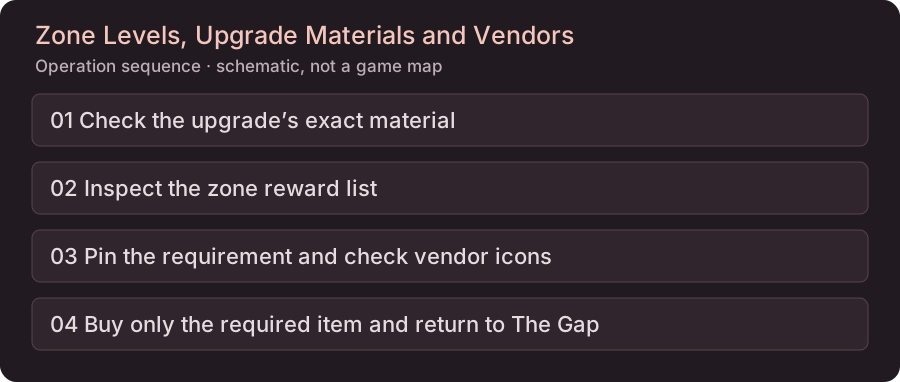
- Open the intended upgrade and pin its material requirement.
- Inspect vendor icons on the map for the pinned material’s availability; update 1.4.0 documents this stock indicator.
- Travel to a matching vendor and check the actual quantity, price and balance. An availability icon does not promise enough stock for your whole plan.
- Return to The Gap, apply the upgrade and check the resulting Loadout. Remove obsolete pins when changing your plan.
When the material is not available
Continue the quests and World Feats you can complete, then recheck the specific vendor stock. For a mutually exclusive ability reward, first check whether you need a Reset Item rather than another weapon material. We have no measured universal restock timer or material-per-hour route, so this page does not recommend repeatedly reloading or leaving render distance as a guaranteed farm.
Use a concrete goal
For SHÜM access, check the cabinet’s regional level gate. For an outfit, check its named vendor or quest. For trophies, distinguish reaching level 5 in every region from accumulating 40 zone upgrades; the trophy checklist tracks those separately.
Before you leave
These checks are saved in this browser; they do not read your game save.
Sources and scope
Written walkthroughs compared November 3, 2026. The diagrams explain the operation order; no site playthrough or performance benchmark is claimed.